Case study
Hugo Googong
Branding and a property website for 30 terraces in Googong, with floor-plan comparisons, an interactive site plan and filters that help buyers find a home.
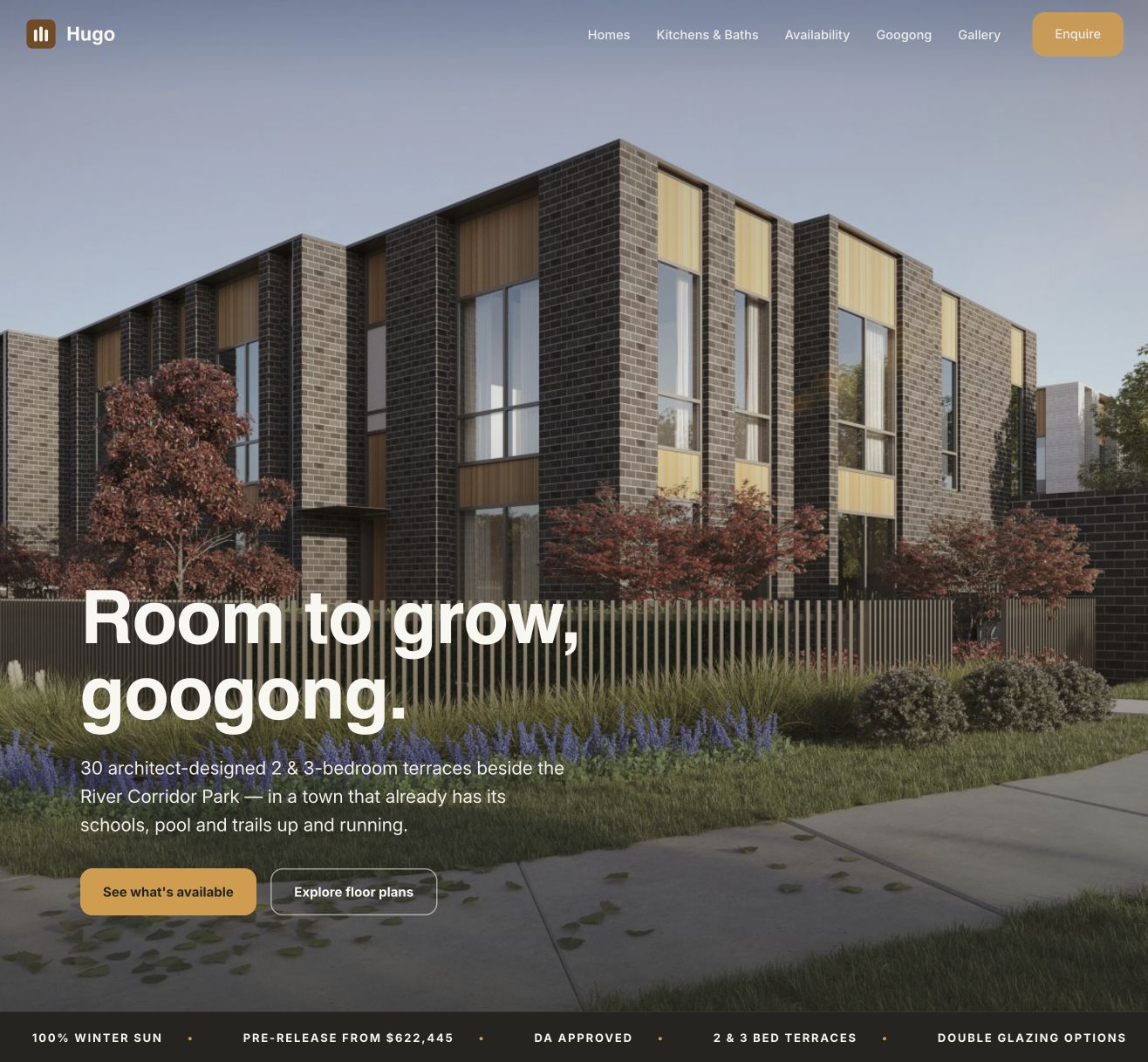
Branding / Website design & development
A property brand and a website that helps people choose a home.
Hugo is a collection of 30 architect-designed terraces in Googong, NSW. Our work brought the branding and website together, giving the development a recognisable identity and buyers a practical way to explore the homes.
The website combines the visual introduction with the information needed to compare options: floor plans, bedroom counts, living areas, courtyards, parking, pricing and availability. Buyers can move from the overall development to a specific home without leaving the page.
Branding that carries through the whole experience.
The Hugo identity pairs a compact symbol with a simple wordmark. Warm gold, olive, charcoal and off-white give the site a consistent palette, while large headings and generous spacing keep the information readable.
The identity extends beyond the header. Gold marks important actions, olive connects section labels and availability states, and dark panels separate individual home details from the site plan. Repeated colours, typography and button styles make the different parts of the website feel connected.
Large architectural images introduce the development. The page then moves into practical details, so the visual presentation supports the buying process rather than making people search for information.
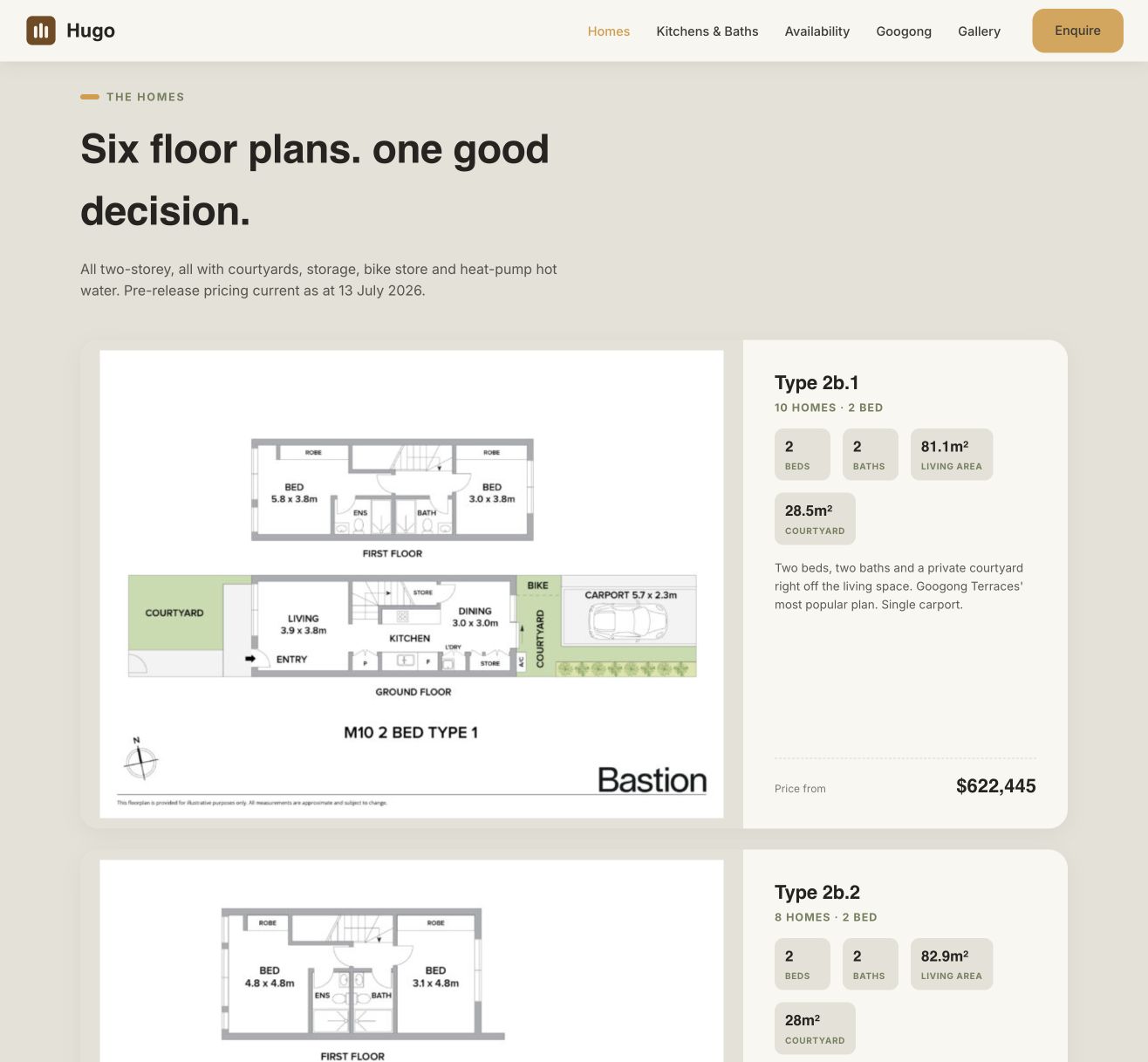
Six floor-plan types, laid out for comparison.
The homes section presents the six plan types in a consistent card layout. Each card brings together a floor-plan preview, bedroom and bathroom counts, approximate living and courtyard areas, parking information, a short description and starting price.
Putting the same details in the same place makes the differences easier to compare. Buyers can distinguish a two-bedroom home with a carport from a three-bedroom option with a double garage, or compare internal space with courtyard size.
Floor-plan images open in an enlarged overlay, so buyers can inspect room arrangement and outdoor connections without leaving the page. These drawings can be considered alongside the headline specifications. Pricing dates and indicative-plan notes remain visible so the presentation does not imply that drawings or availability are final.
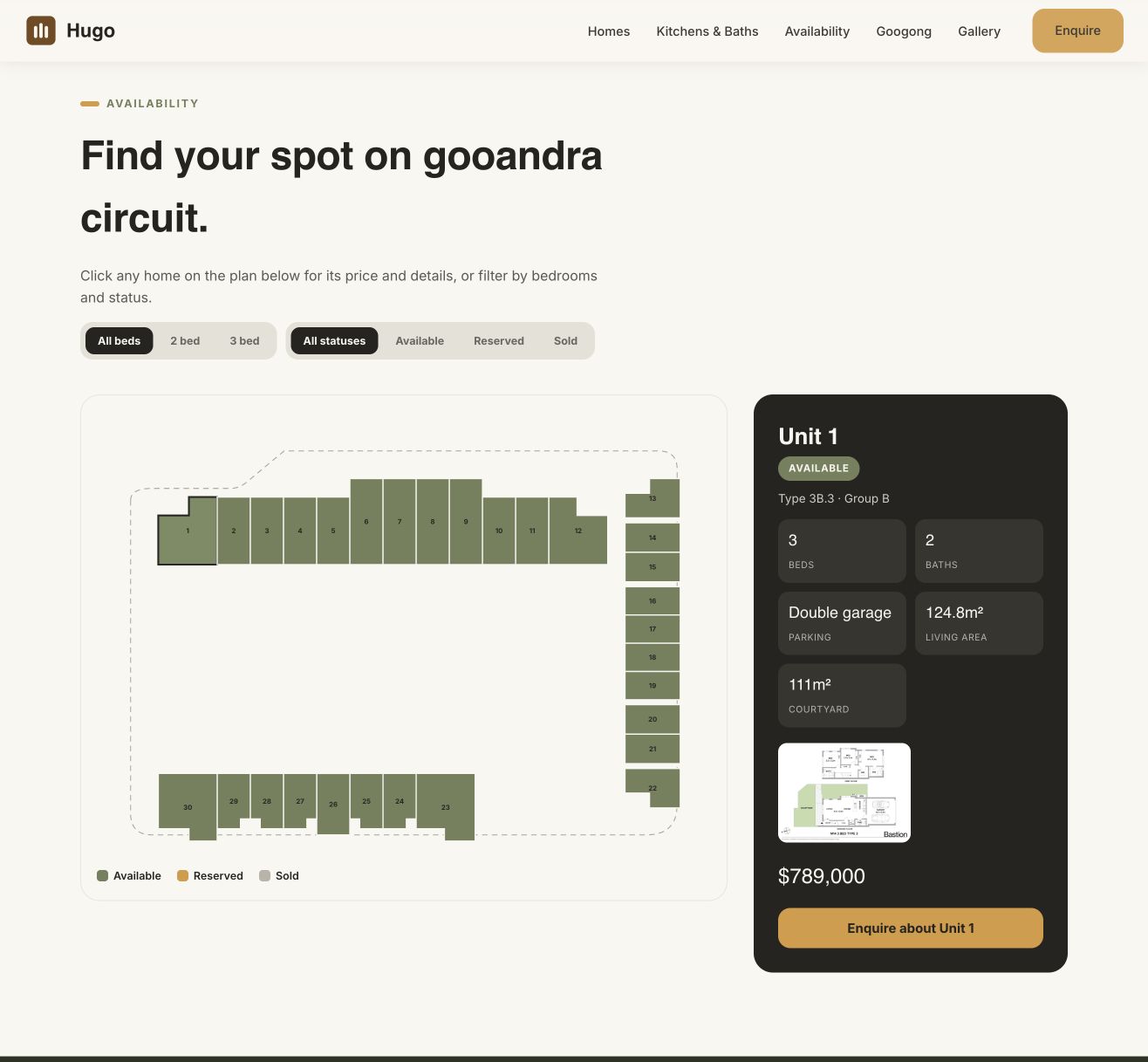
A site plan buyers can explore.
The interactive availability section maps all 30 homes to their positions within the development. Numbered plots give buyers a way to connect a home’s details with its location on the site, rather than relying on a separate list of lot numbers.
Selecting a plot opens a detail panel alongside the plan. The panel shows the unit number, availability status, plan type, bedrooms, bathrooms, parking, approximate living area, courtyard area, floor-plan image and price. Buyers can compare individual homes while keeping the overall layout in view.
The enquiry action names the selected unit. This gives people a direct next step once they have found a home they want to discuss.
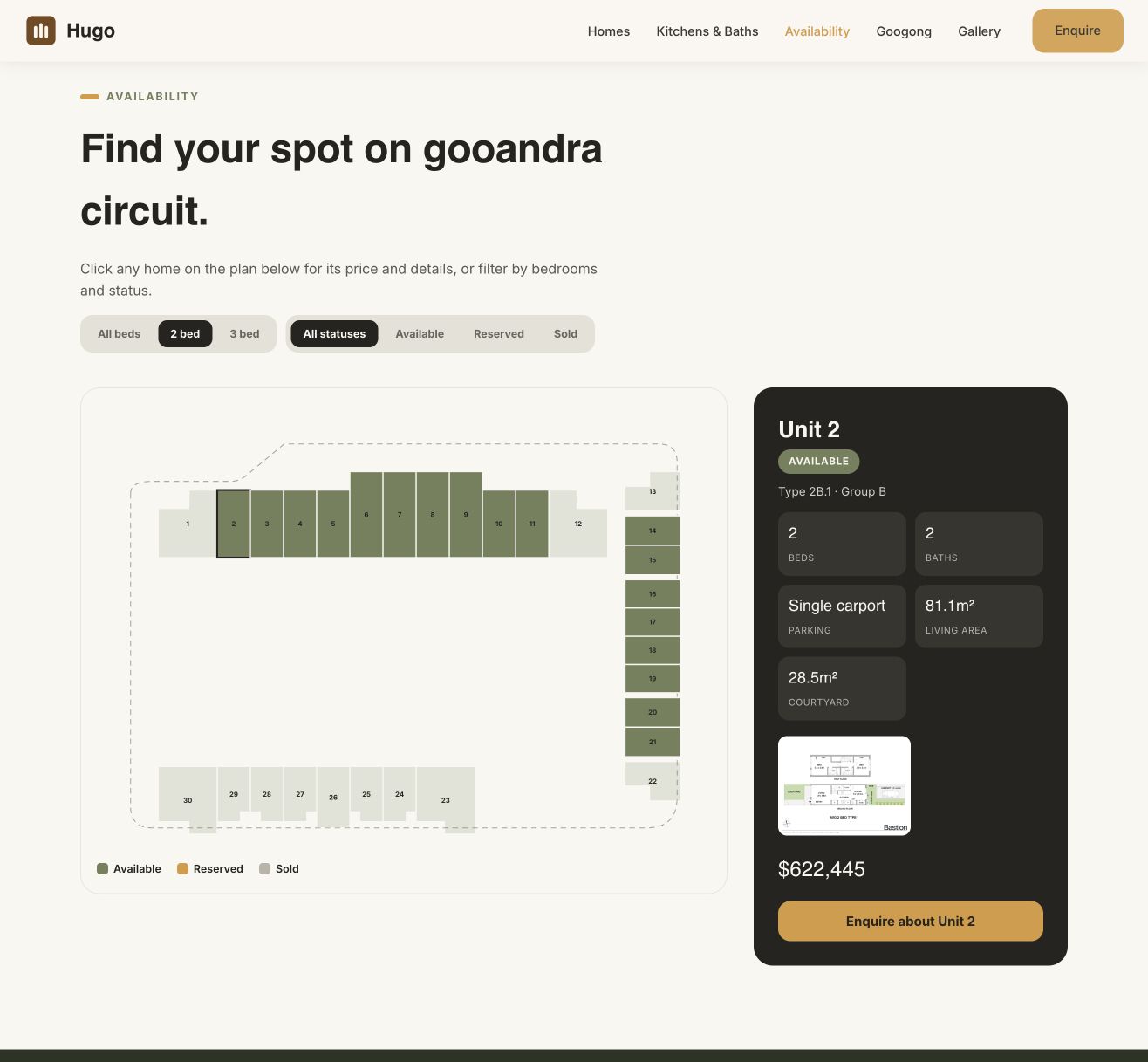
Filters that make the options easier to narrow down.
Two filter groups let visitors refine the site plan by bedroom count and availability status. Buyers can choose all homes, two bedrooms or three bedrooms, then combine that with available, reserved or sold status.
Non-matching plots are visually muted while the full site layout remains visible. This keeps the location context intact and makes matching homes easier to spot. A colour legend explains the availability states.
The selected-home panel holds the detailed information in one place, reducing the need to open several pages or compare separate documents. The filters and site plan work together as a practical search tool within the project website.
Show the finishes before the enquiry.
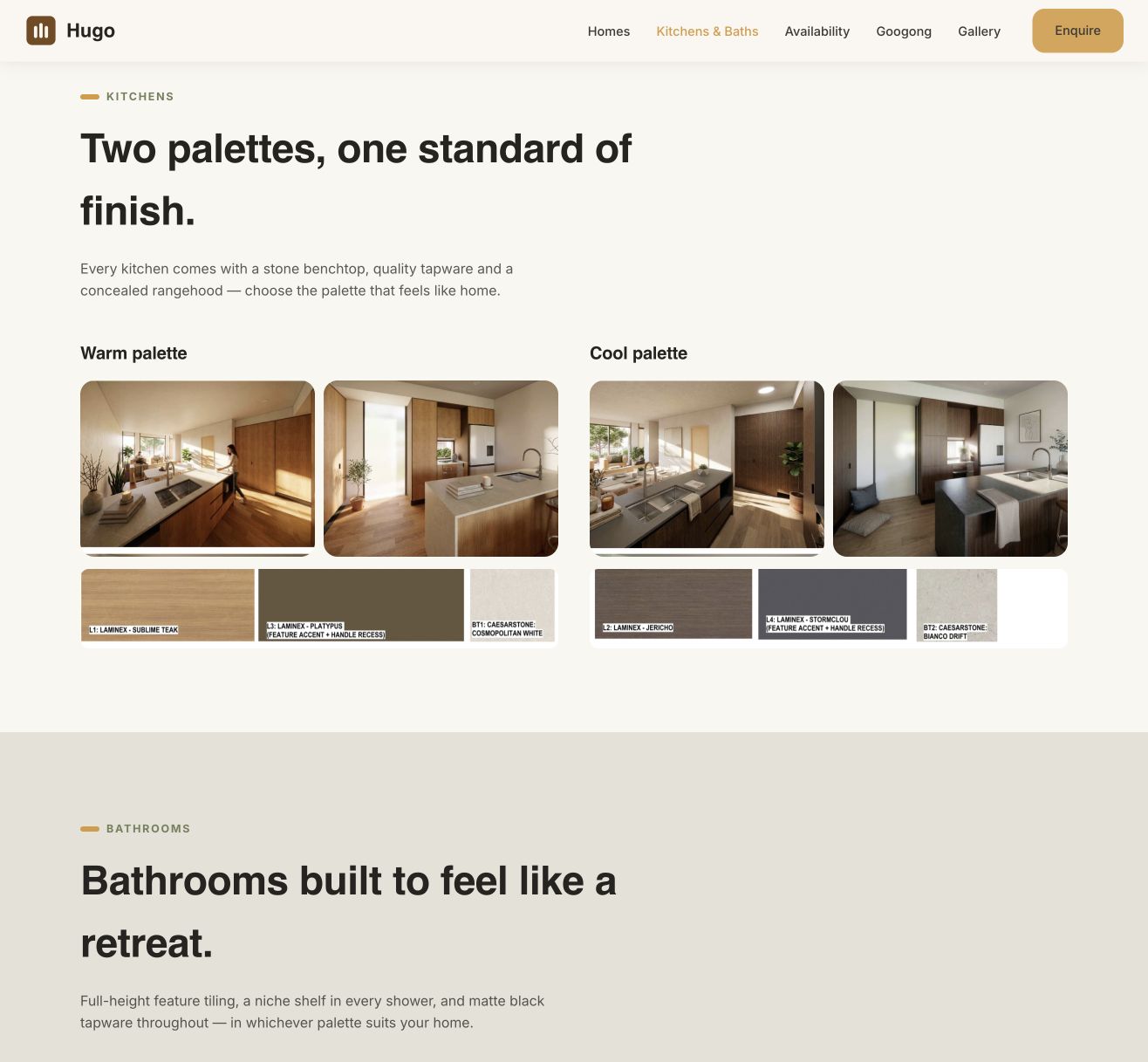
Separate kitchen and bathroom sections present the warm and cool interior palettes. Rendered interior views sit alongside material imagery so buyers can understand both the overall look and the finishes behind it.
Keeping these options together makes it easier to compare palettes without searching through a general gallery. The supporting copy explains the featured fittings and finishes in the same section.
Give buyers the wider picture.
The site also explains the setting around the homes. Location and Googong sections bring together local amenities, schools, recreation and travel information, with links to open the location in Google Maps.
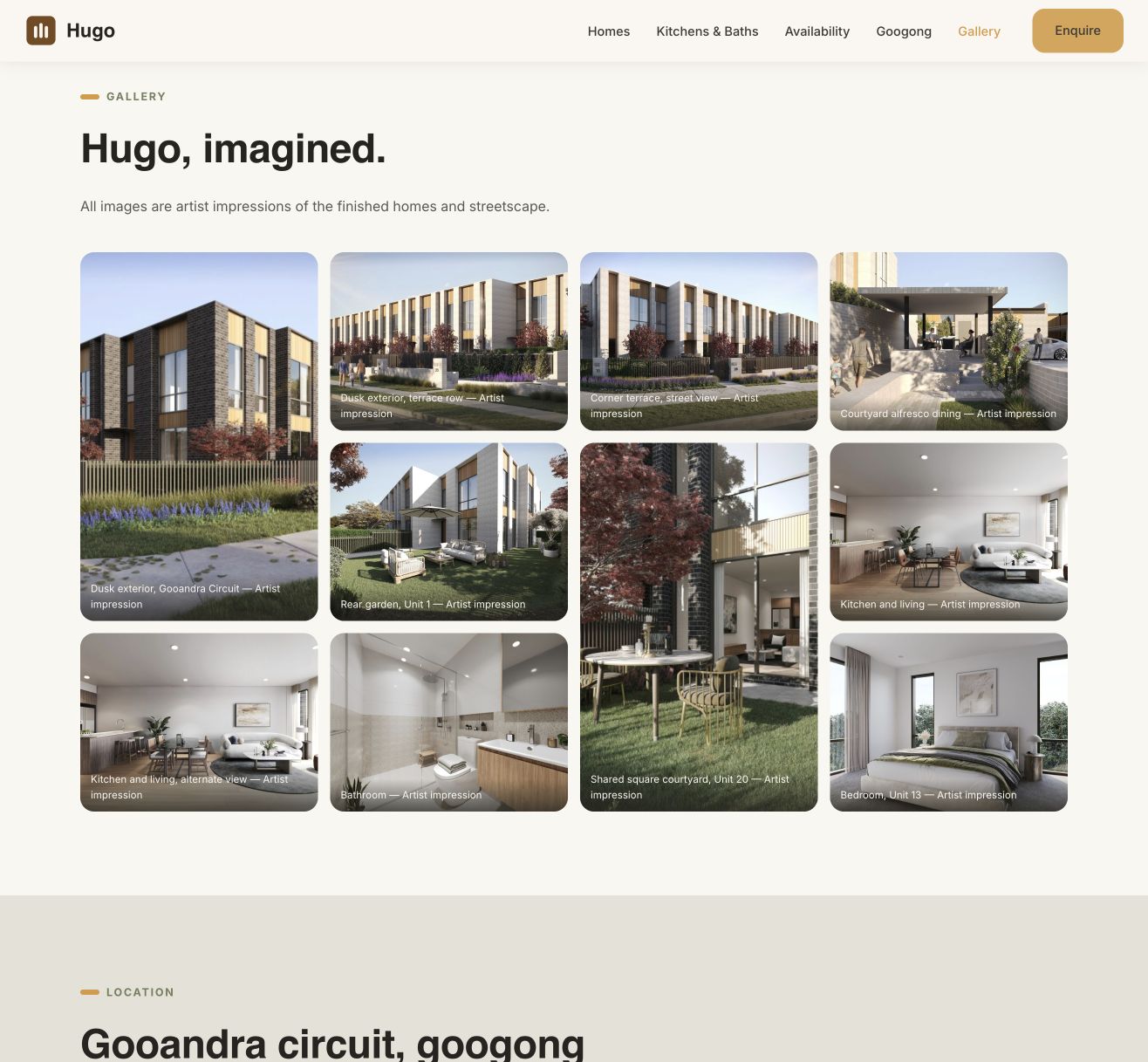
A dedicated section groups the development’s environmental and everyday-living features. A separate gallery covers exteriors, courtyards, shared outdoor spaces, living rooms, bathrooms and bedrooms. Images open in a larger overlay, with captions identifying the views as artist impressions.
This structure separates three common questions: what does the home offer, what will it look like, and what is nearby? Section navigation lets visitors move directly to the information they need.
A clear path from browsing to enquiry.
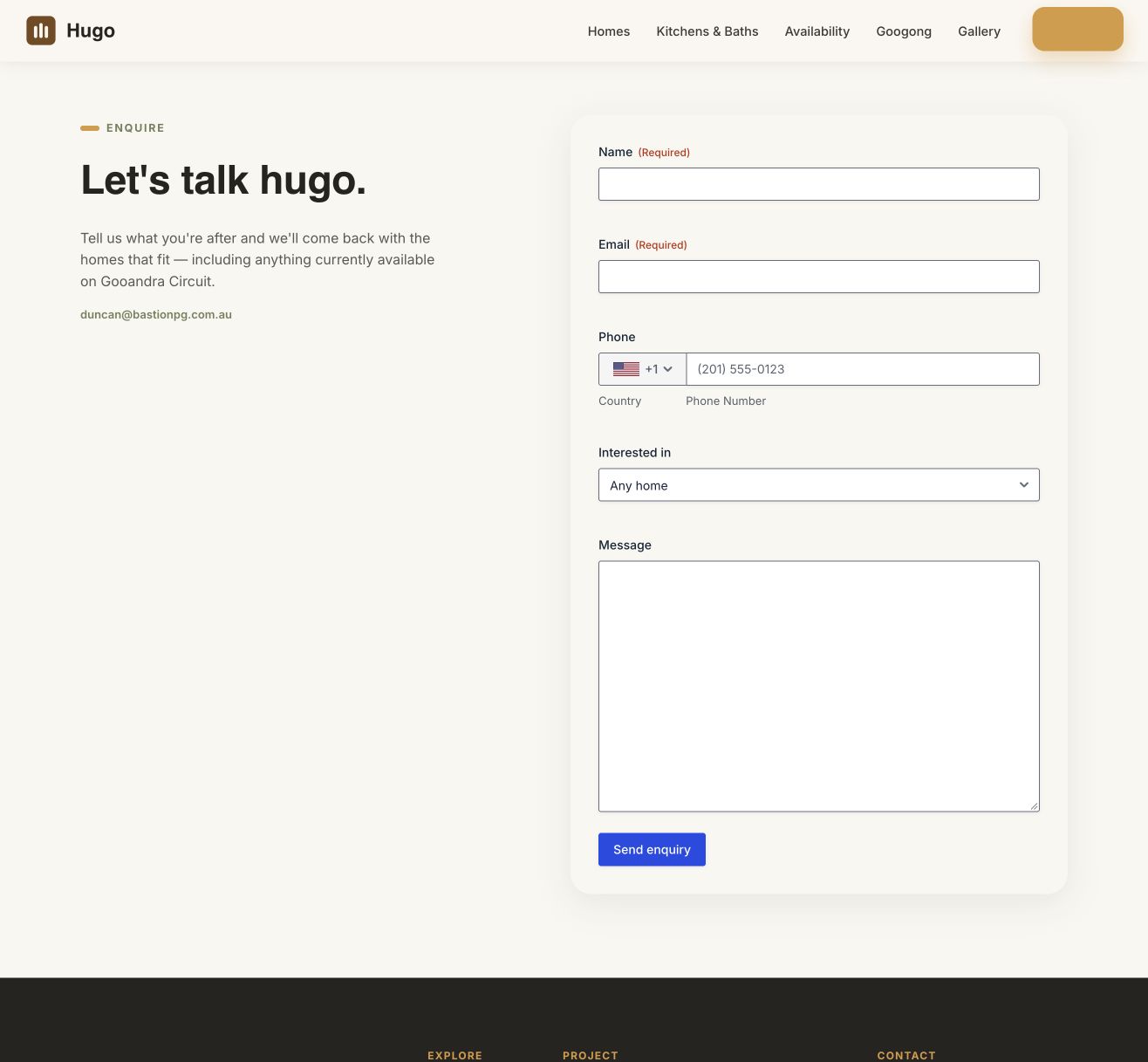
Enquiry links are available in the main navigation, the opening section and the individual home panel. Visitors can explore first, then act when they have enough information.
The enquiry form collects a name and email, with fields for phone, preferred home type and a message. These details help the sales team understand what the buyer is looking for before following up.
On smaller screens, navigation condenses and the content stacks into a single column. Plan browsing, filtering and home details remain part of the same page, so the key information is available on a phone as well as a desktop.
The finished website.
Hugo brings a property brand, architectural presentation and a home-selection tool into one website. The value is in how the information connects: visitors can understand the development, compare plan types, locate individual homes, check their details and make a relevant enquiry.
Website captured October 2026. Screenshots document the website’s design and features at the time of capture. Property pricing, availability and specifications shown in them may change. Architecture, renders and development information are presented as project content; this case study covers Diverge’s branding and website work.